Knowledge Base
Business Context
Business context is a short, plain description of your company. Your agent reads it before every answer, so it always knows who you are, what you offer, and who you serve. Ultimo Bots drafts it for you when the agent is built, and you can edit it anytime.
Most of your agent's knowledge is looked up only when it is relevant: a visitor asks a question, and the agent searches your pages, documents, and Q&A for the best matching facts. Business context works differently. It is a single paragraph that is always in front of the agent, giving it the framing it needs to answer well even before it looks anything up. Think of it as the one-line elevator pitch your agent never forgets.
What business context is
Business context is a concise summary of your company, stored as a single block of text for each agent. A good one answers three questions in a few sentences:
- What you do. Your core products or services in plain words.
- Who you serve. Your audience, market, or the kind of customer you help.
- What sets you apart. Your key value propositions, focus, or specialties.
It is meant to be short and factual, not a sales page. The dashboard caps it at 1,000 characters, which is roughly a short paragraph. That limit is deliberate: business context is framing, not a place to store everything your agent knows.
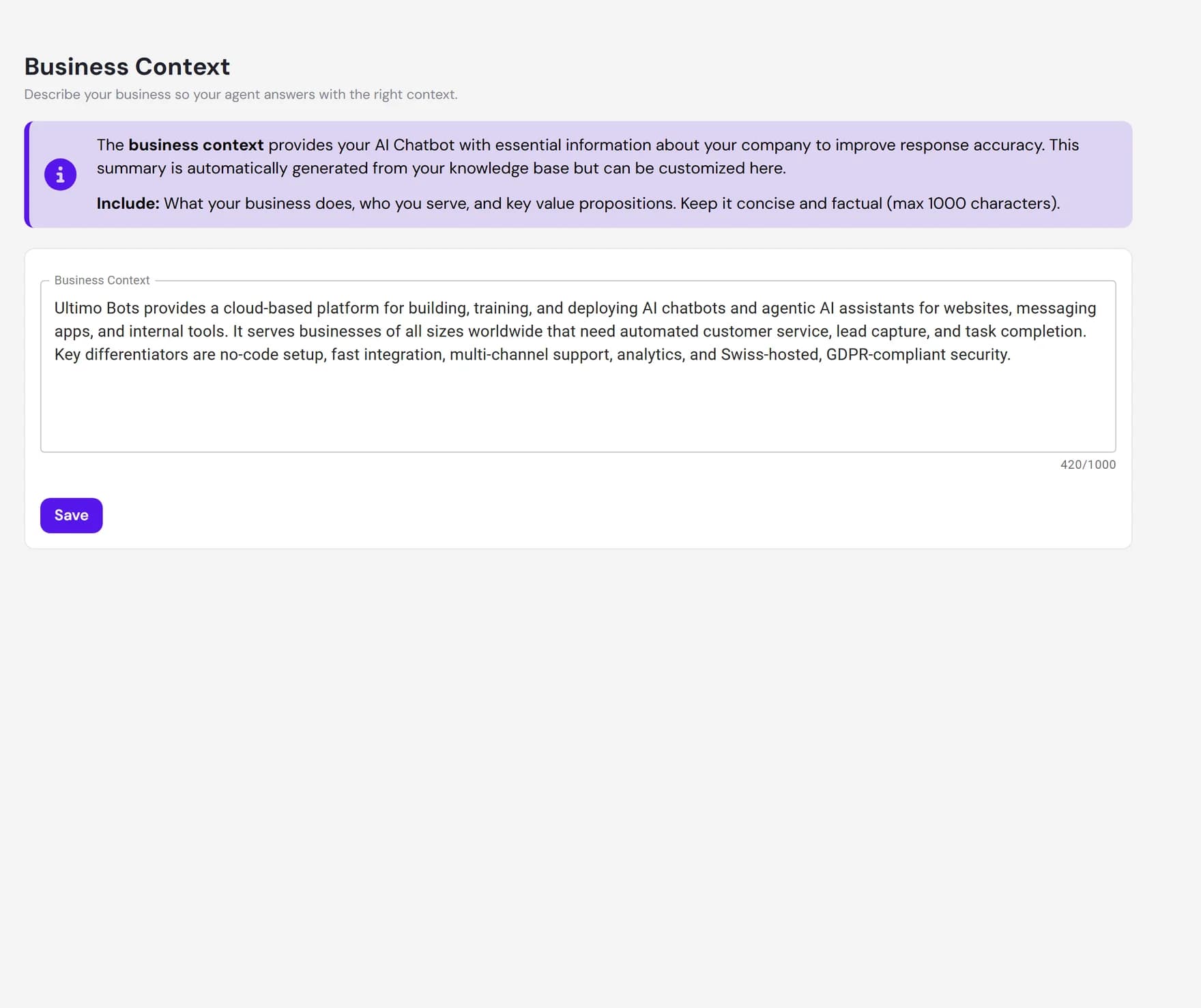
Drafted automatically when your agent is built
You do not have to write business context from scratch. When you create an agent and it finishes reading your website and documents, Ultimo Bots reviews that content and writes a first draft for you. It reads a sample of your most important pages and summarizes what your business does, who it serves, and what makes it stand out.
This draft is a starting point. It is generated from whatever knowledge the agent had at build time, so it is usually close but rarely perfect. Treat it as a head start you can shape, not a final word.
Editing and refining it
You are in full control of the text. On the Business Context tab, edit the summary directly in the box, then click Save. A character counter shows how much room you have left, and the page reminds you when you have unsaved changes so you do not lose edits by navigating away. If you change your mind, Discard returns the text to the last saved version.
A few tips for a strong business context:
Lead with what you do
Open with a clear sentence such as We are a family dental practice in Austin rather than a slogan. Specifics help the agent more than adjectives.
Name your audience
Say who you help and where. If you only serve a region, language, or industry, put it here so the agent frames answers correctly.
Set the tone
A short note on how you want to come across, for example warm and reassuring, or precise and technical, nudges the agent toward the right voice. For finer control over style and rules, use Behavior.
Keep it current
Revisit it when your offering or audience changes. The draft is not regenerated on its own after setup, so updates are up to you.
How it differs from FAQs and documents
Business context and the rest of your knowledge base do different jobs, and they work best together. The key difference is always-on framing versus facts looked up on demand.
| Business context | FAQs, documents, and links |
|---|---|
| One short summary per agent. | Many individual sources of any length. |
| Always present, on every answer. | Searched and pulled in only when relevant to the question. |
| Sets the framing: who you are and what you do. | Supplies the specific facts: prices, hours, policies, details. |
| Best for the big picture. | Best for everything a visitor might actually ask about. |
In practice: business context tells the agent it is the assistant for a boutique travel agency that plans trips for couples. The actual itineraries, prices, and booking steps live in your documents and FAQs, where the agent retrieves them as needed.
What business context does not do
Business context is guidance, not storage. Knowing its limits keeps your agent accurate.
- It is not a knowledge store. Do not paste long lists, full policies, price tables, or documentation here. There is a 1,000-character limit, and long text belongs in documents, website links, or FAQs where the agent can search it.
- It does not pull in new facts. It frames how the agent answers, but the agent still relies on your other knowledge sources for specifics. If a detail is not in your knowledge base, putting your company name in the context will not make the agent invent it.
- It does not update itself. The automatic draft is written for you while your agent is being set up. After that, keeping it accurate is a manual edit.
- It is not your persona or rulebook. For detailed instructions on how the agent should behave, what to avoid, and when to hand off, use Behavior instead.
Next steps
Pair a clear business context with rich knowledge and tuned behavior: