AI Studio
Behavior
Behavior is where you shape your agent's tone and the way it responds, using short instructions written in plain language. You describe how you want the agent to act, and it follows that across every conversation.
Each behavior is a single rule in your own words, such as keep answers short or always offer a demo when someone shows interest. When you add a rule, Ultimo Bots weaves it into the way your agent already speaks, so the change feels natural rather than bolted on. You manage behaviors per agent under AI Studio → Behavior in the dashboard.
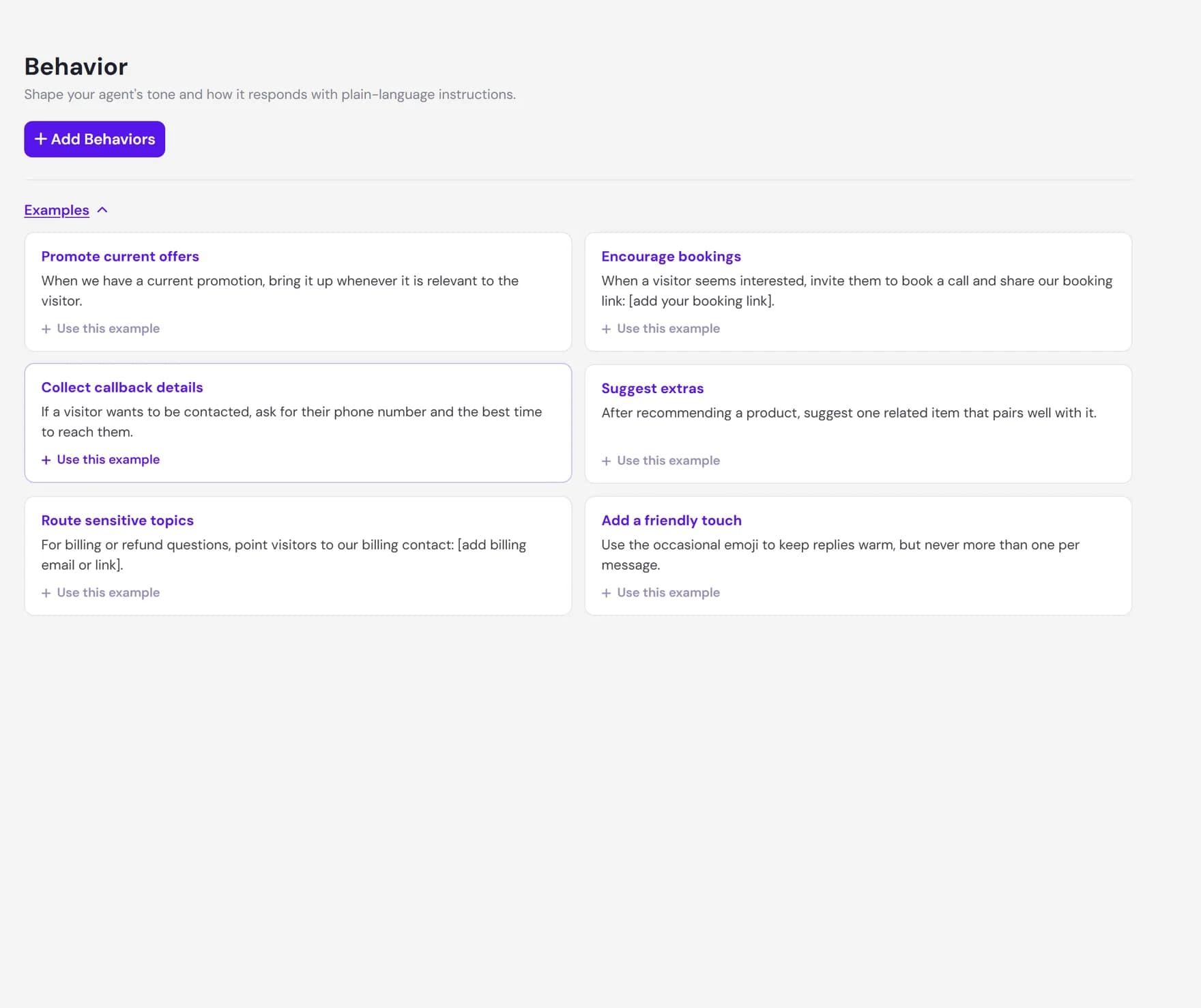
How behavior works
You write a rule in everyday language and the agent applies it. There is no scripting and no settings to learn. A few moments after you add a rule, the agent starts following it in new conversations.
Behind the scenes, adding a rule does a one-time training step rather than running on every chat. That is why a new rule shows a short Training... state before it turns into a green check, and why behaviors add nothing to the speed of your visitors' conversations once they are in place.
Writing good instructions
The clearer your rule, the more reliably the agent follows it. Aim for one idea per rule and say what you want in plain terms. Vague wording such as be better is rephrased into something the agent can act on, so being specific from the start gives the best result. Each rule can be up to 250 characters, which is room for a sentence or two.
| You want to | Write a rule like |
|---|---|
| Keep replies short | Be concise. Keep answers to a few sentences unless the visitor asks for detail. |
| Promote your demo | When a visitor seems interested, always offer a demo and share our booking link. |
| Set a boundary | Never give legal advice. Suggest the visitor speak to a qualified professional. |
| Hand off a topic | Escalate billing questions by pointing visitors to our billing contact. |
Adding, editing, and removing rules
You can build up a set of rules over time and adjust them whenever your needs change. Every rule is independent, so changing one does not disturb the others.
Add a behavior
Click Add Behavior, type your rule, and save. You can add several rules in one go using the plus button. Each one trains in turn, so they build on each other cleanly.
Edit a behavior
Use the pencil icon on any rule to reword it. Saving an edit retrains that rule so the new wording takes effect. The Save button stays inactive until you actually change the text.
Remove a behavior
Delete a single rule with its trash icon, or tick several and remove them together. Removing a rule cleanly undoes its effect and leaves your other rules in place.
How behavior fits with context and knowledge
Behavior is one of three layers that shape your agent. They each do a different job, and together they decide how a reply reads and what it is based on.
- Behavior sets the style. Tone, length, what to offer, and what to avoid. This is the how of a reply.
- Business context frames the agent. Who you are, what you sell, and how you want to come across overall. This is the framing the agent works within.
- Knowledge supplies the facts. Your website pages, documents, FAQs, and other sources are where answers actually come from. This is the what of a reply.
For example, a behavior rule can tell the agent to always offer a demo, but the booking link it shares has to come from your knowledge or be written into the rule itself. Style and facts pull in the same direction only when both are in place.
When to use behavior, knowledge, or skills
Behavior is the right tool for shaping responses. It is the wrong tool for adding information or for taking an action. Use this guide to pick the right place.
| Your goal | Use |
|---|---|
| Change tone, length, or what the agent offers or avoids | Behavior |
| Teach the agent a fact, a price, a policy, or a link | Knowledge (website, documents, FAQs) |
| Set the overall framing of who you are and how you sound | Business context |
| Have the agent take an action, such as booking or a lookup | Skills |
Limits and what behavior cannot do
Behavior is powerful for shaping responses, and it is honest about its edges. Knowing them up front saves time.
- It cannot invent facts. A rule cannot make the agent state something it does not have in its knowledge. If the information is not there, the agent says it does not have it rather than guessing.
- It cannot override safe, grounded answers. The agent is built to answer only from the knowledge you give it. A behavior rule shapes wording within that boundary, it does not remove the boundary.
- It cannot take actions. Behavior shapes what the agent says. It cannot book an appointment, look something up in another system, or call an external service. For that you use skills.
- There is no automatic check that a rule is obeyed. A rule is applied to the agent's instructions, but the best way to confirm the effect is to test the agent in a real conversation.
- The number of rules depends on your plan. Each plan allows a set number of behaviors per agent. When you reach the limit, Ultimo Bots offers the next plan that fits.
Next steps
Behavior works best alongside strong context and knowledge, and once a rule is in place the fastest way to see it is to chat with your agent.