Settings · Knowledge Base
Feed your Ultimo Bot with confidence
Website links, documents, Q&A entries, and cloud imports all live inside the Knowledge Base. Each type has dedicated tools for uploading, reviewing, and refreshing content so your assistant stays accurate.
Website links
These are the URLs the crawler ingests. Manage them from the first tab.
Website info box
The top banner explains how the Knowledge Base powers your bot and highlights key actions like rescraping and viewing raw data.
Tabs for each content type
Switch between Website Links, Documents, and Q&A using dedicated tabs -- each with its own counters and actions.
Domain grouping
URLs are automatically grouped by domain, making it easy to see all pages from the same website at a glance.
Bulk controls
Select multiple links to rescrape or remove them in one go. The UI tracks how many items you have selected in real time.
Status indicators
Colored icons and loading spinners show whether a source is ready, scraping, or failed. Hover for more detail.
Documents
Upload PDFs, DOCX, TXT, and more when you need structured source material.
Upload modal
Drag-and-drop PDFs, DOCX, TXT, CSV, and more. Files are automatically uploaded to secure storage and queued for ingestion.
File validation
Large or unsupported files are flagged instantly, and you can remove them before they count toward your quota.
Document inspection
Open any document via the view data button to see timestamps, statuses, and exactly what the bot read.
FAQs
The Q&A tab is perfect for high-value snippets and escalation paths.
Add Q&A modal
Use the friendly editor to paste a title, question, and answer. Character counters keep entries concise.
Status-aware list
Each FAQ row shows whether it is processing, succeeded, or failed, with buttons to preview or delete.
Behavior-friendly prompts
The interface encourages you to craft Question/Answer pairs that cover edge cases without writing full articles.
Cloud imports (Google Drive and OneDrive)
Import documents directly from your cloud storage without downloading and re-uploading.
Google Drive import
Connect your Google account and use the built-in file picker to select documents directly from Google Drive. Supported formats include PDF, DOCX, DOC, TXT, and CSV.
OneDrive import
Connect your Microsoft account and browse OneDrive folders to select files. Supported formats include PDF, DOCX, DOC, TXT, CSV, and MD.
Automatic processing
Files imported from cloud services are processed just like manually uploaded documents. They appear in the Documents tab once ingestion completes.
Rescraping
Keep your knowledge fresh with automatic and manual rescraping options.
Schedule rescraping
Set up automatic rescraping on a monthly or daily basis. Daily rescraping is available on the Ultimo plan.
Discover new links
Toggle automatic discovery of new pages on websites you have already added. Ultimo crawls for new URLs and adds them to your knowledge.
Manual rescrape
Trigger a rescrape at any time for individual links or in bulk. Use this when you know content has changed on your site.
Add Website Link modal
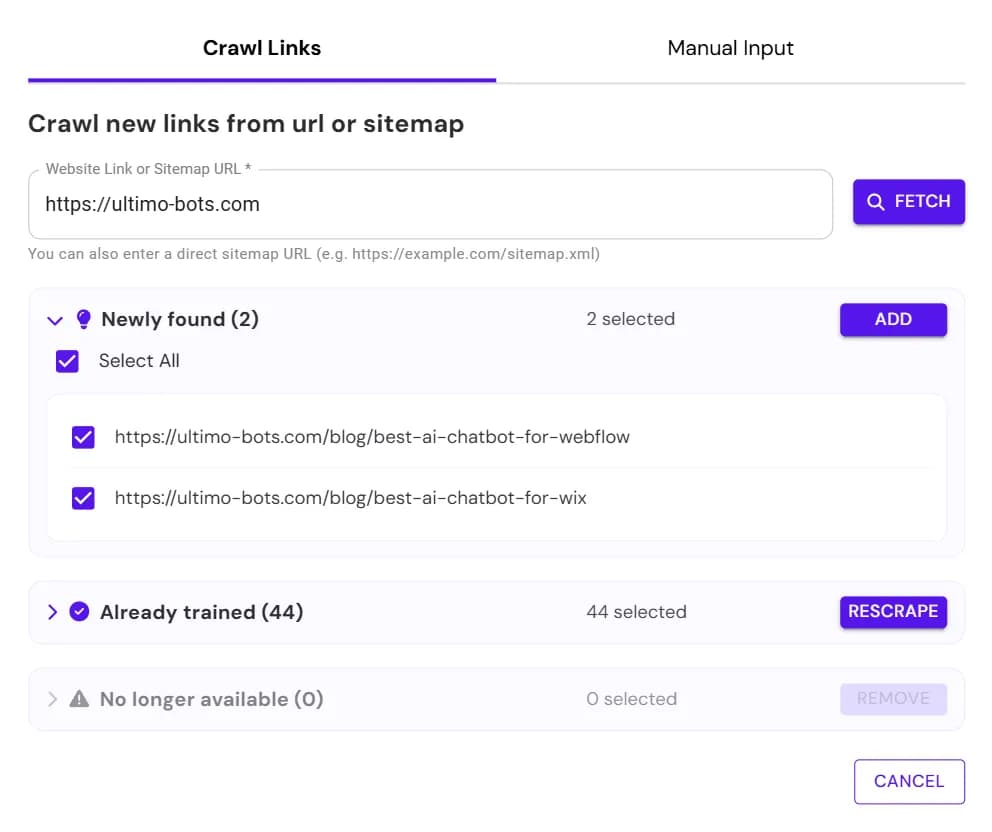
- Two tabs: crawl existing pages or enter URLs manually.
- Crawl mode shows new, existing, and missing links with selection checkboxes.
- Manual mode supports unlimited URLs with instant validation.
Upload File modal
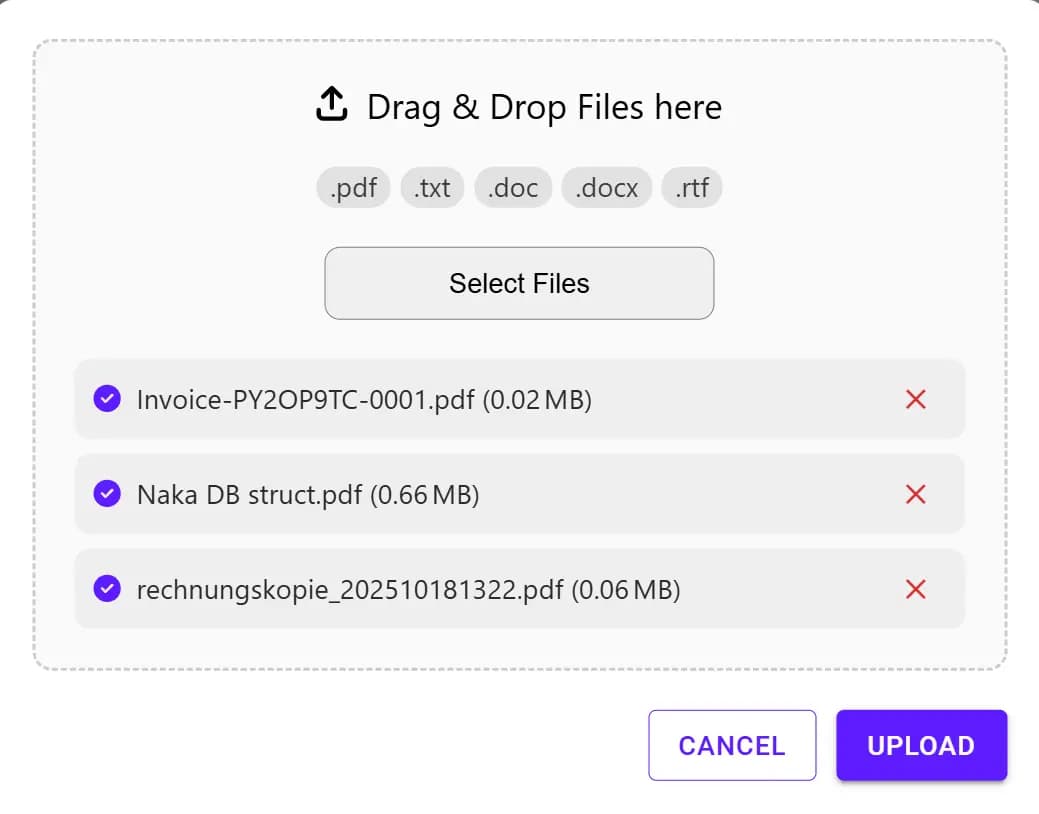
- Drag-and-drop area plus visual chips for supported formats.
- Upload progress with success/error badges and remove buttons.
- Azure-backed uploads ensure files are ready for ingestion.
Add Q&A modal
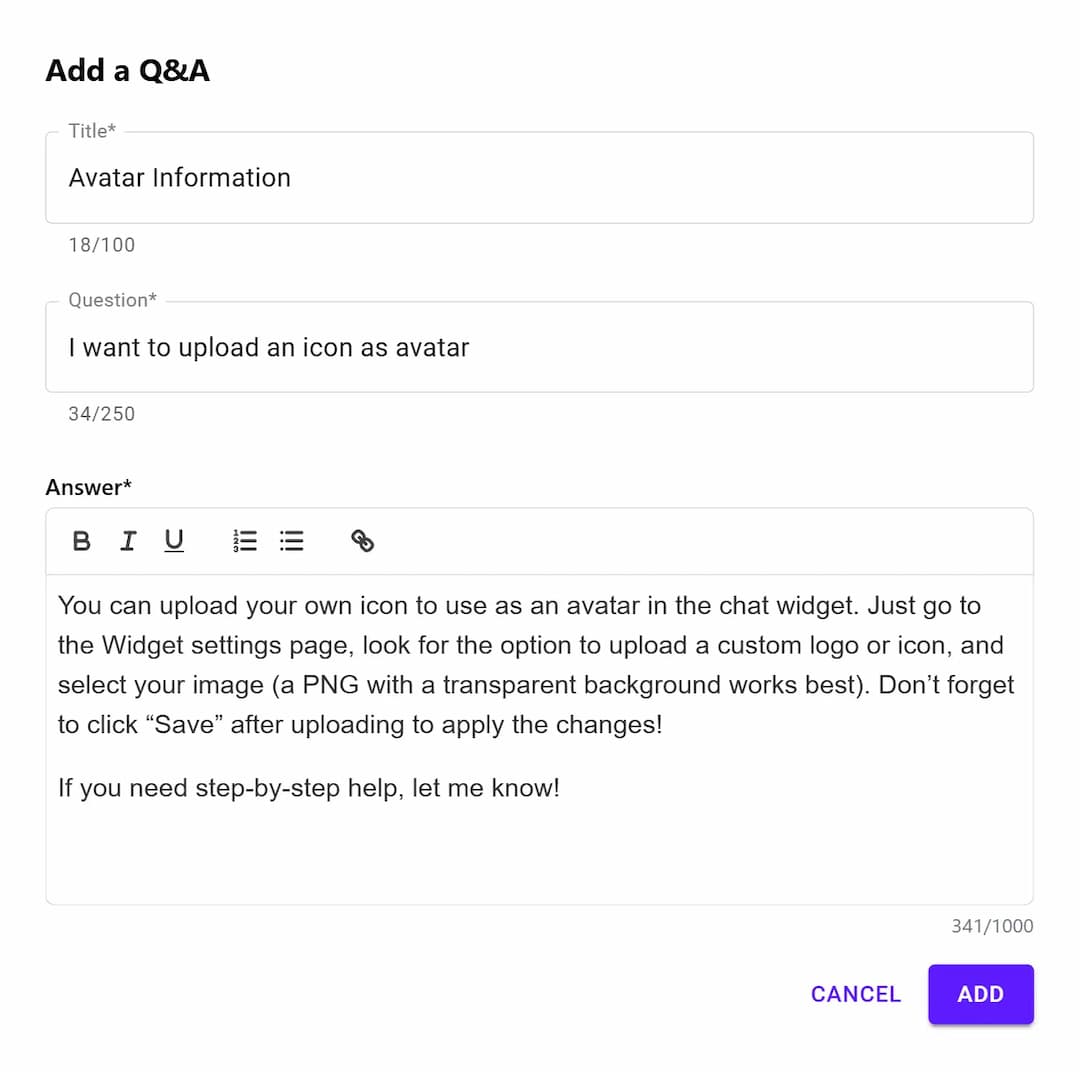
- Rich text input with live character count and clear save/cancel actions.
- Supports line breaks, lists, and reference notes.
- Perfect for quick corrections discovered during testing.
Knowledge preview modal
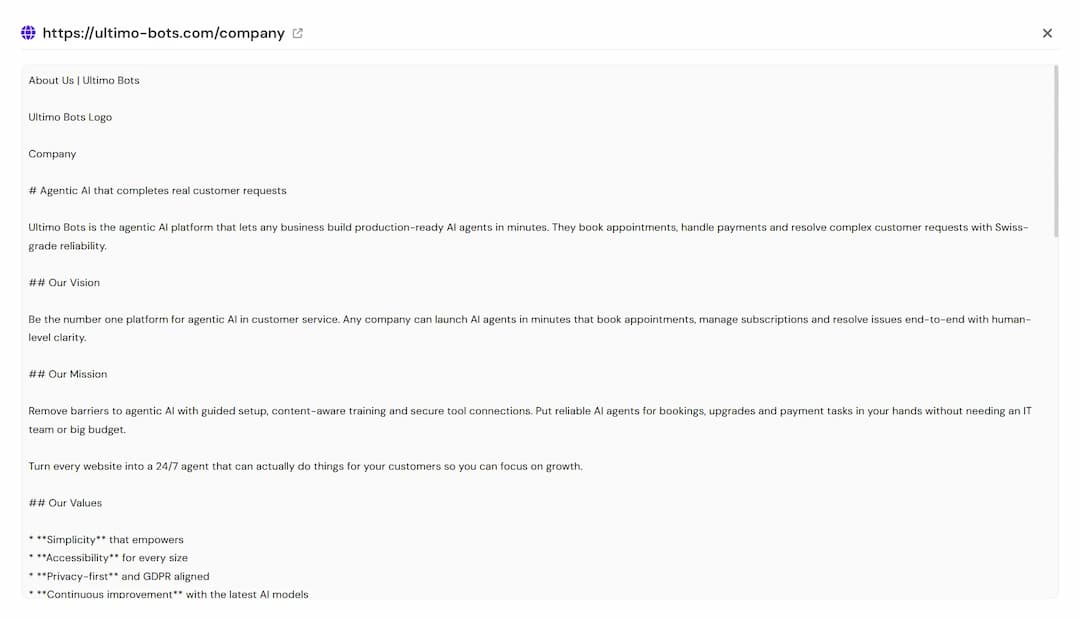
- Tabs for Plain Text and Website Preview so you can audit raw HTML.
- Loading indicator plus error handling if a fetch fails.
- Great for verifying what the crawler actually stored.
Rescraping settings
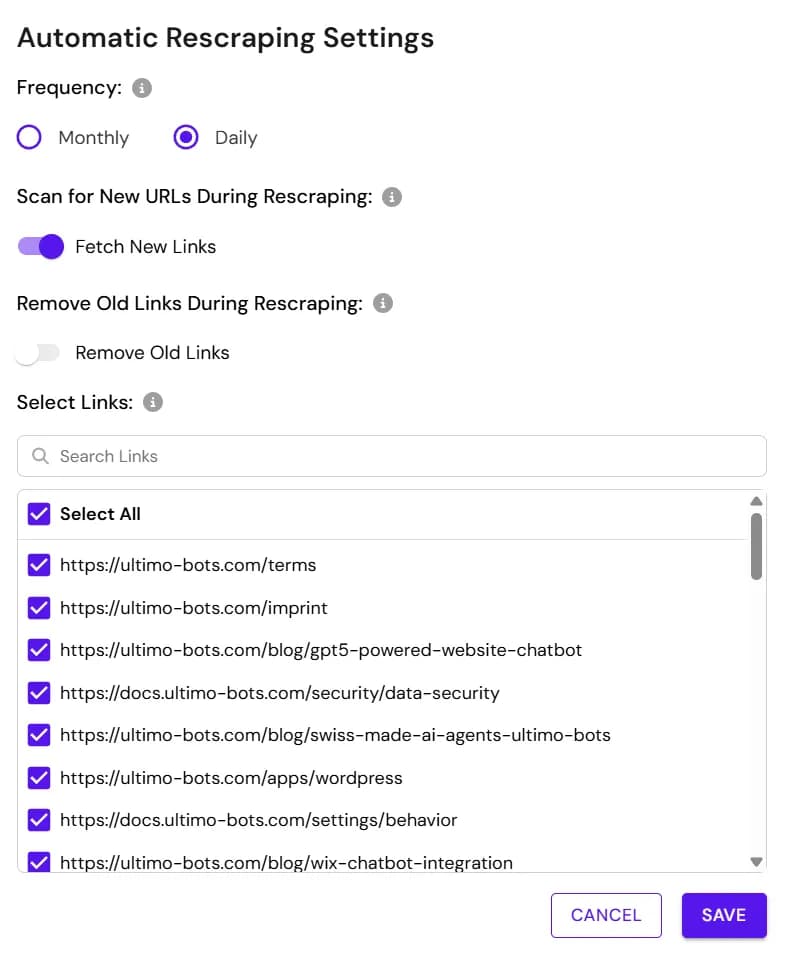
- Pick monthly or daily schedules (daily reserved for Ultimo plan).
- Toggle automatic discovery of new links and filter existing ones via search.
- Upgrade prompts appear when a feature requires a higher plan.
Best practices
- Start with a handful of evergreen website links, then build momentum by uploading gated content or FAQs.
- If a link fails, open the data preview to see what the crawler captured.
- Use the rescrape button whenever you publish major page updates.
- Keep FAQs focused on single intents. Short, punchy answers perform best inside chats.
- Use Google Drive or OneDrive import to keep cloud documents in sync with your bot.
- When no knowledge sources exist, a warning modal reminds you to add content before your bot can answer questions.